Why Poly Mod Loader
One game, mods from several loaders
Fabric, Forge and Quilt mods usually need separate installs. With Poly Mod Loader they run in the same game.
One broken mod does not stop the game
Before the game starts, every mod is checked. A mod that cannot run is left out, and the log says which one and why, so the rest of your mods still start.
The launcher you already use
The installer adds a profile to the official Minecraft Launcher. There is no new launcher to learn. It can also set up a server.
In the game
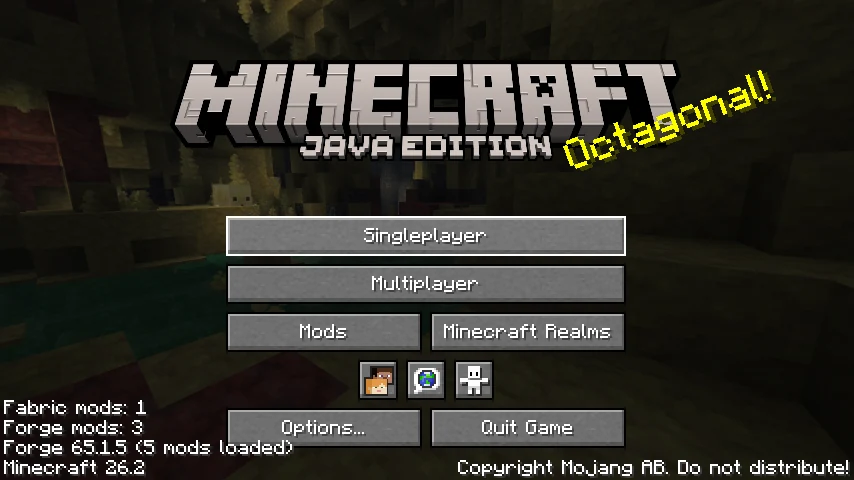
The title screen lists how many mods of each loader are running. This test run had one Fabric mod and three Forge mods. 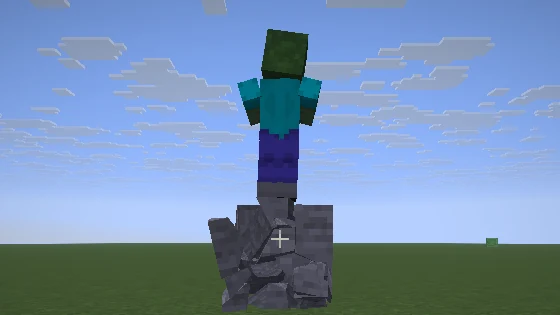
Physics Mod (a Forge mod) breaks a stone block into pieces while Sodium (a Fabric mod) runs in the same game.
What runs today
Status in Poly Mod Loader 1.0.0. Technical details and error codes are in Compatibility.
Poly Mods
SupportedMods made for Poly Mod Loader itself.They run in single player and on servers.
Forge
SupportedForge itself runs inside Poly Mod Loader, so Forge mods behave as they do in Forge, also next to Fabric mods.Tested on 26.1 and 26.2 with popular Forge mods (40 on 26.2): they load a world together, save it and quit. A mod is only left out if Forge would refuse it too.
Fabric
SupportedFabric mods run the way they do in Fabric Loader.Tested on 26.1 and 26.2 with popular Fabric mods (138 on 26.2, Sodium and Iris among them): they load a world together, save it and quit.
Quilt
SupportedQuilt mods run on 26.1, 26.1.2 and 26.2, also next to Fabric and Forge mods.Tested with every Quilt-only build on Modrinth for each version, on the client and on servers, and compared with real Quilt Loader. Mods that need the Quilt Standard Libraries are left out: those libraries have no release for 26.x.
NeoForge
SupportedNeoForge itself runs inside Poly Mod Loader, so NeoForge mods behave as they do in NeoForge. Its files are downloaded on the first start.Tested on 26.1, 26.1.2 and 26.2 with popular NeoForge mods (54 on 26.2, Sodium and Iris among them): they load a world together, save it and quit. They run next to Poly Mods, but not yet in the same game as Fabric, Quilt or Forge mods: then the NeoForge mods are left out, and the log says why.
For mod developers: Poly Mods
Poly Mods use Poly Mod Loader’s Native API instead of Minecraft’s internal classes.The API is in preview and can still change.
One build for several versions
A mod that only uses the API can declare a range such as 26.* instead of one exact Minecraft version.
Works next to Fabric mods
Poly Mods and Fabric mods can depend on each other.
Errors that say what to fix
A wrong declaration stops the game at startup with a POLY error code, instead of crashing later in a world.
Tests in the real game
Game tests run on a test server without a window, with mock players.